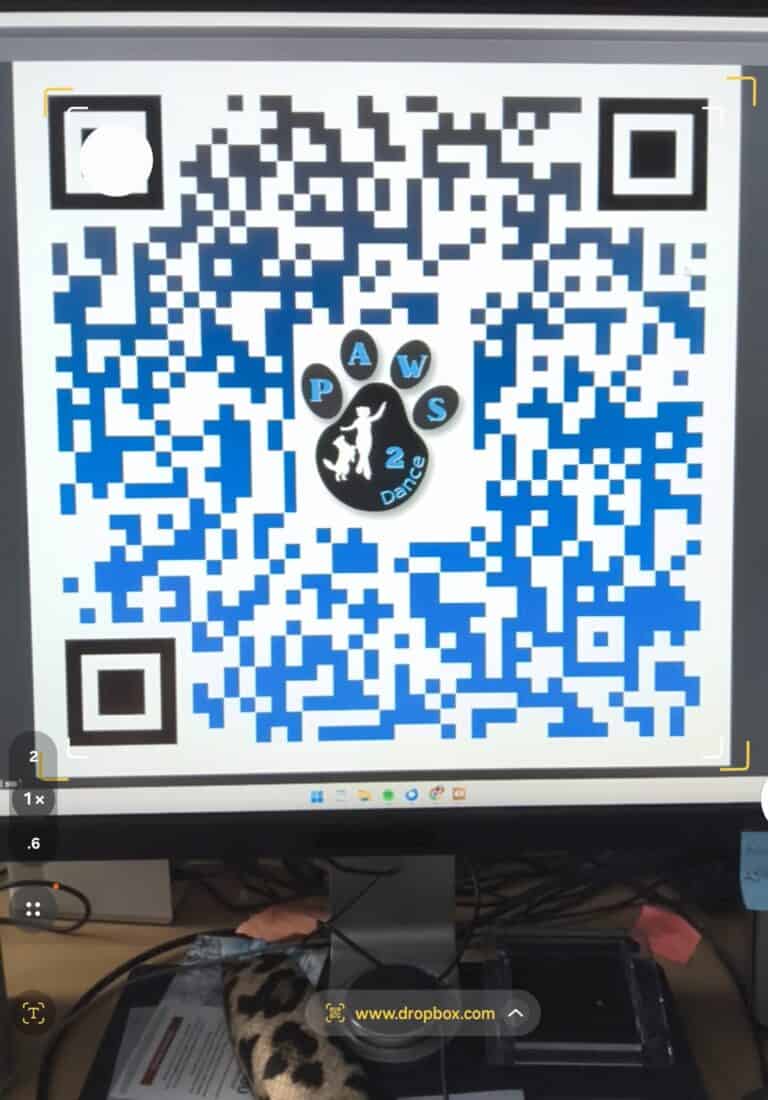
Focus on the QR code above with your phone or tablet (open your Photo program and focus on the image). You will see something like this: (it may appear slightly different if you are on an Android or iPhone).
under the image, you will see the webpage that it is linked to (small writing in yellow under the image)
Click on the text with the link. (If your phone offers to ‘Scan’ the image, do not use that. Click on the web address)
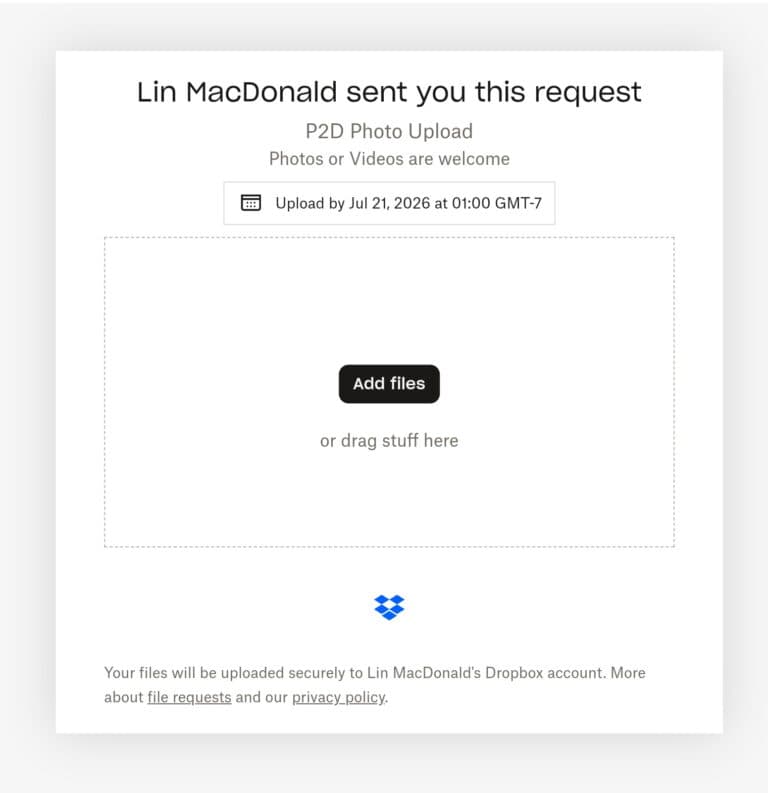
Next, you will see:
If you are working on a phone or tablet, choose “Add Files”. If you are on your computer, you can drag ‘n drop.
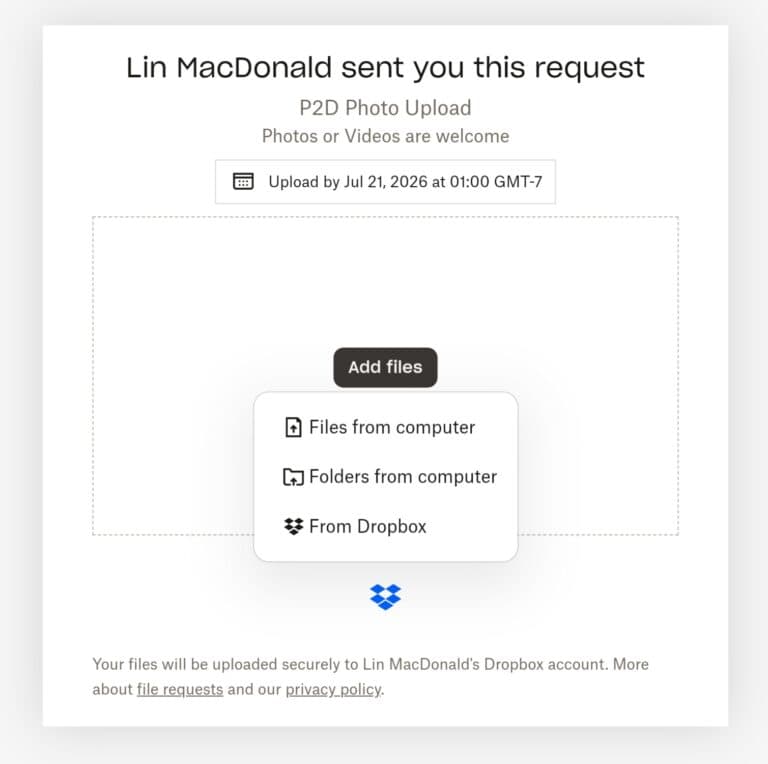
The next screen will look like this: (this pop up may not appear on some phones)
If it does appear, choose ‘Files from Computer’
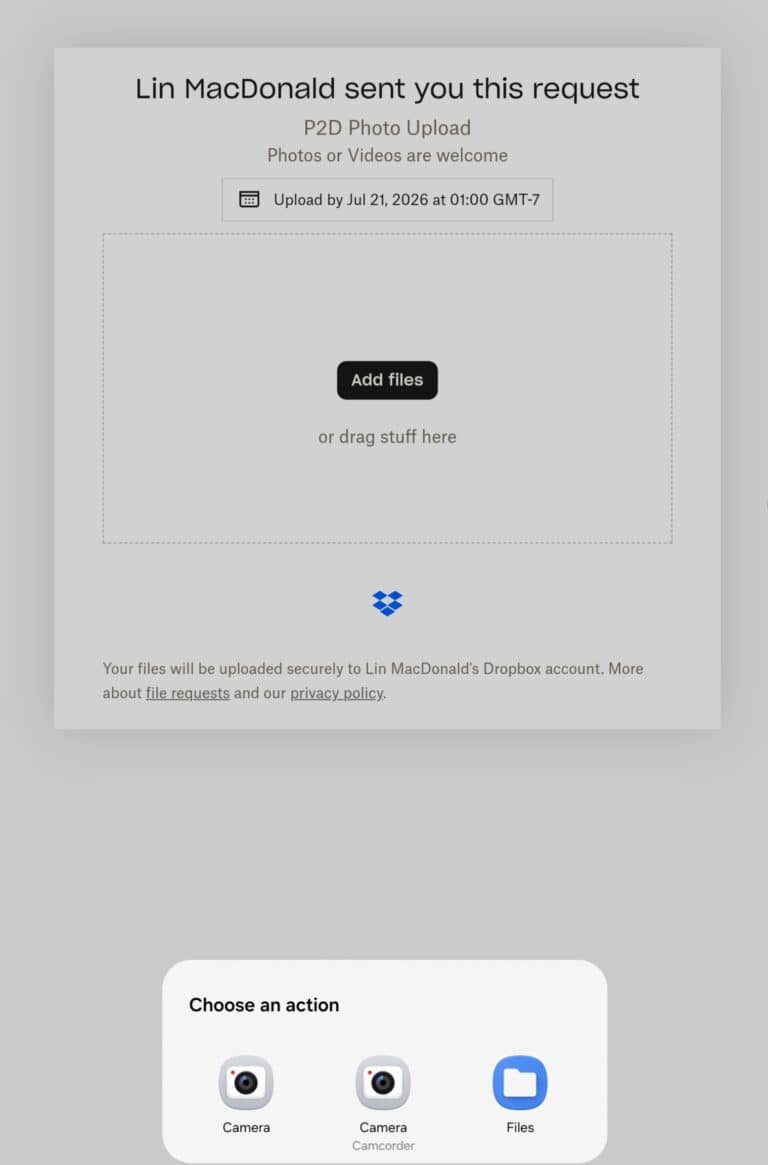
The next screen will look like this:
From the Popup, choose ‘Files’
FYI, the other choices will allow you to take a photo or video directly from your phone. ‘Files’ allows you to choose multiple photos or videos that you have already taken
On the next screen, scroll down and choose the photo or video.
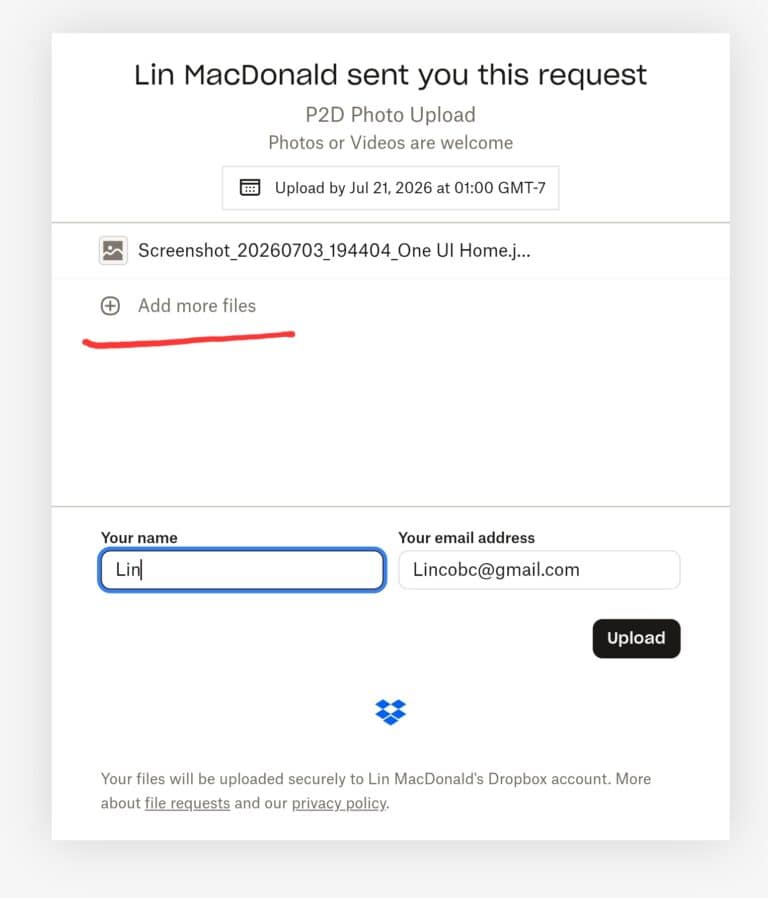
Once you have done that, it will give you this screen:
At that point, you may choose to Add another image (see text underlined in red) or just upload what you have already chosen. You will need to fill in your name (first name only is fine) and your email address.